The complete map

Everything Custom AI can do

Every record you can create, every way to create it, and what the app does with it next.

01 / ∞ 128 клиентов

Барбер.

Kali books it, prices it and remembers it.
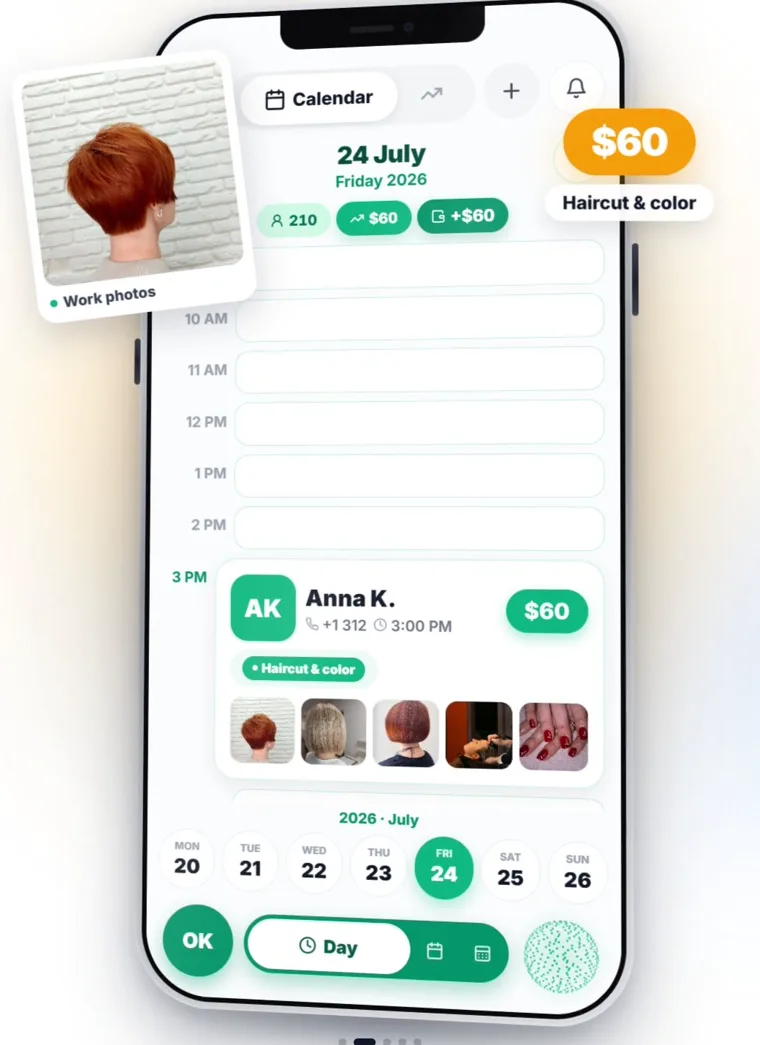
02 / ∞ 210 клиентов

Салон.

Kali books it, prices it and remembers it.
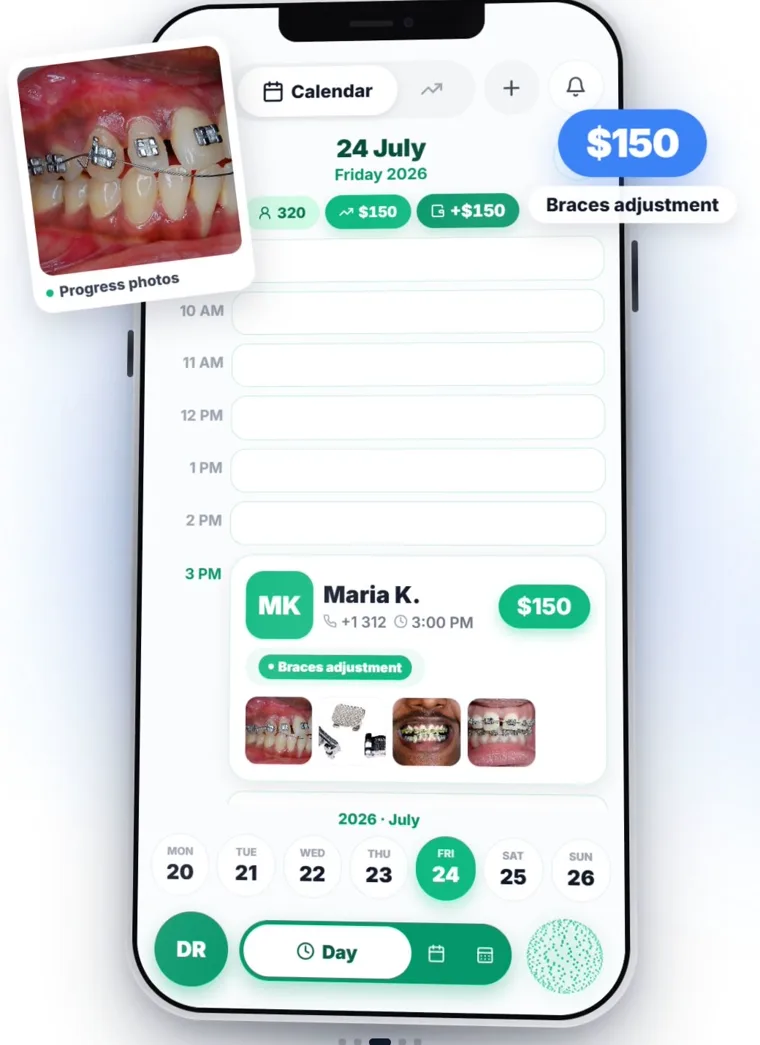
03 / ∞ 320 пациентов

Стоматолог.

Kali books it, prices it and remembers it.
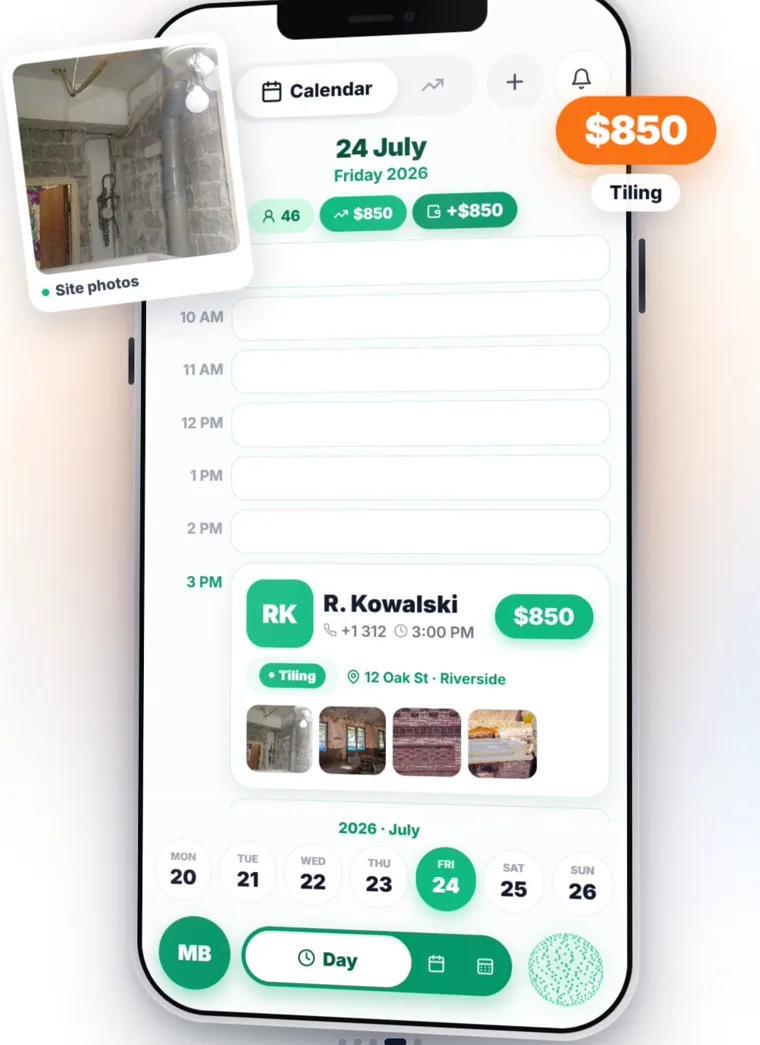
04 / ∞ 46 объектов

Стройка.

Kali books it, prices it and remembers it.
…and any other business

Ногти Тренер Тату Груминг Репетитор Клининг Фотограф Дальнобой
Swipe — there are more trades than fit here
72voice commands
16record types
17automations
43languages
Out loud

Say it the way you'd say it to a person

No command syntax, no keywords. Seventy-two actions sit behind ordinary sentences.

“Book Anna for three tomorrow, and Kolya after her”
Two separate appointments, both clients found or created, prices pulled from your list.
“How much did I make this month?”
Takings, costs, profit, client count and average ticket — read from your data, spoken exactly, never rounded into a story.
“No — three hundred, not two”
She edits what she just created instead of adding a second record. Correcting her is a first-class action.
“Delete that client”
She reads back the name and how many visits will go with them, and waits for a real yes. Every destructive action is gated this way.
“What's diesel going for in Texas right now?”
She searches the live web and answers with sources. She'll also find places near you by GPS, with distances and a route button.
“Call me by my first name and keep it brief”
Saved for good, across every future conversation — including how formally she addresses you.
The real thing

Actual screens, not mock-ups

Every screenshot below is captured from the live app — the same build that's on the App Store today.
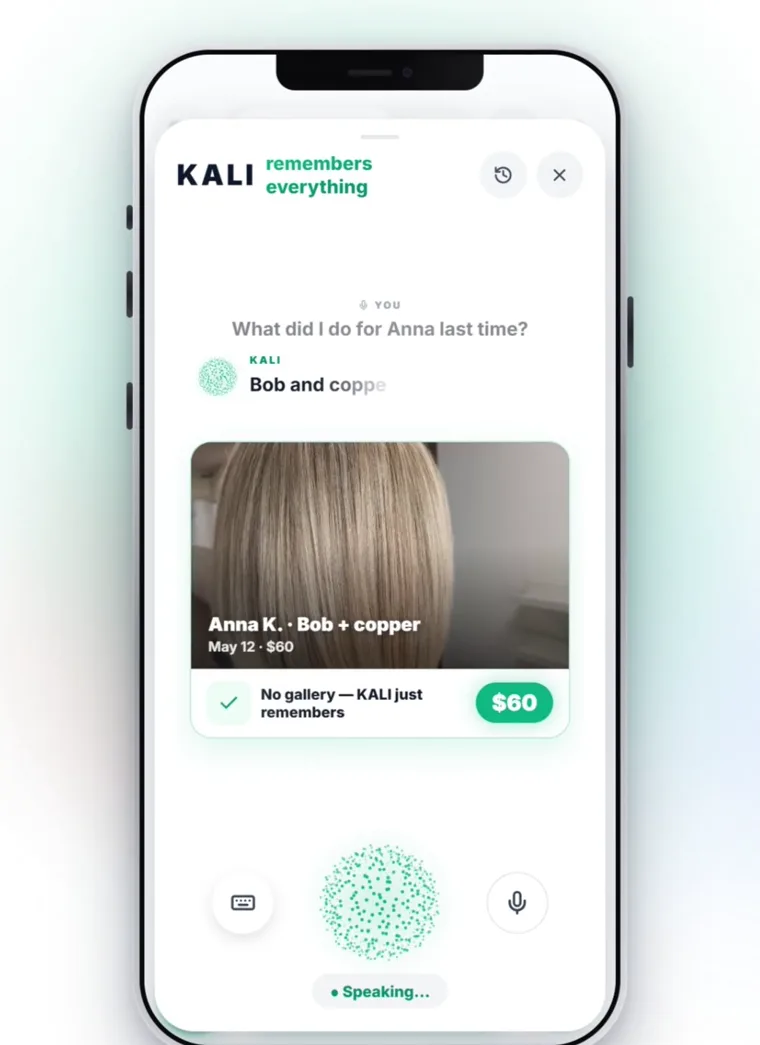
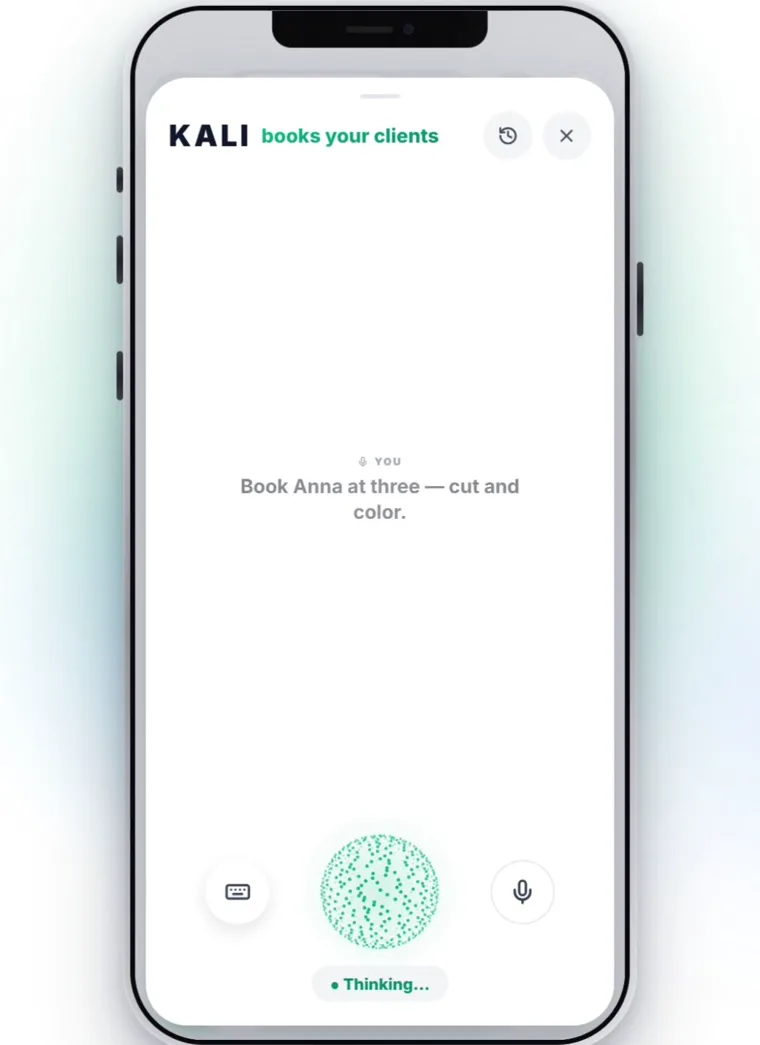
Real screen
Real screen
Real screen
Real screen
Real screen
Real screen
Input

Five ways to add anything

Every record below can be created any of these ways. Nothing is voice-only, and nothing forces you to type.

Just say it

Speak a normal sentence. Kali picks the right action, fills the fields and saves it — while your hands are busy.

Tap the + button

A step-by-step wizard with a progress bar. Big number pad for amounts, skip buttons on every optional field.

Photograph it

A receipt, an invoice, a price tag, a bank screenshot, a PDF or a spreadsheet. AI reads about 35 fields and files it.

Pull from your phone

Your iPhone address book syncs in. Duplicates are caught, numbers are matched on the last 9 digits.

Let the client do it

Share your booking link. They pick a service and a free slot themselves, in their own language, and it lands in your day.

The catalogue

What you can add

Open any card to see the actual fields, the voice phrase that creates it, and what the app does with it afterwards. Nothing here is a mock-up — this is what ships.

A client

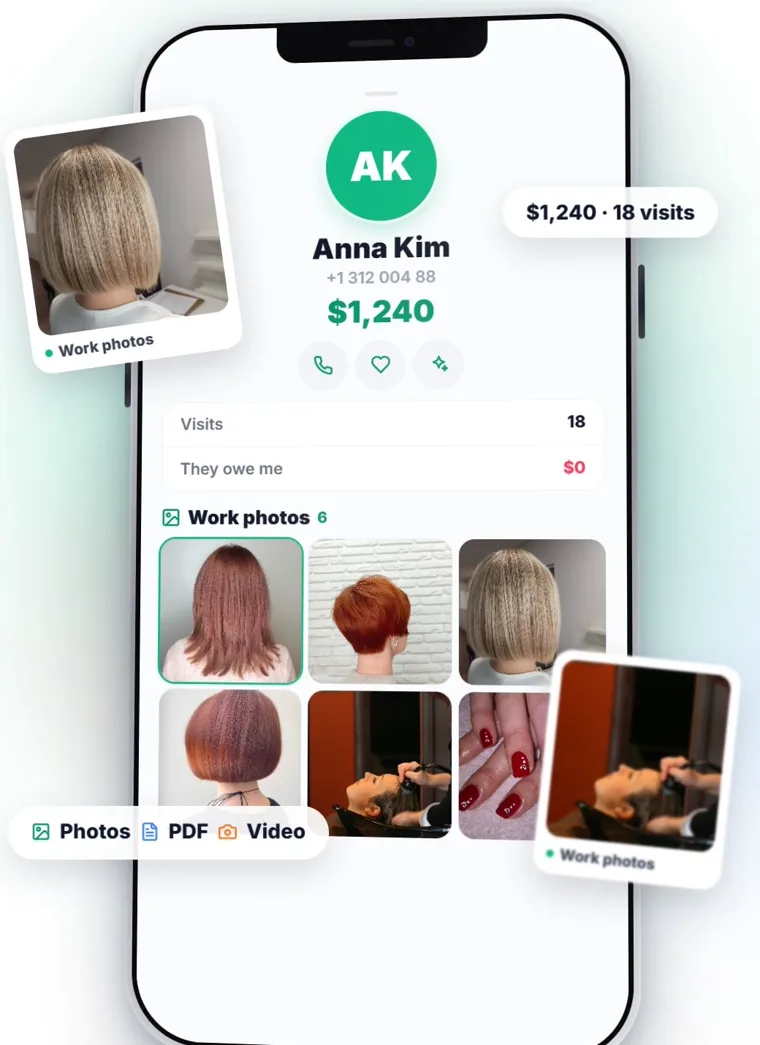
A full card with photos, history and lifetime value

“Add a new client — Irina, and her number is…”
Fields
First & last namePhoneE-mailAddress on a mapBirthdayInstagramFacebookTikTokNotesPhoto20+ fields total
What happens next
  • Photo gallery — before/after shots attach to the client and to each individual visit.
  • Lifetime value — total spend, visit count and outstanding debt are computed for you.
  • Auto-segments — VIP, birthdays this month, gone quiet, brand new, owes you money.
  • Duplicate guard — a similar name is caught before it becomes a second card.
  • Find them any way — fuzzy name search that survives typos, plus search by any 3+ digits of a phone number.

A visit or appointment

One sentence books it. Series supported.

“Book Maria for a manicure tomorrow at three”
Fields
ClientServiceDateTimePriceCurrencyNoteClient address for mobile jobsRepeat: weekly / fortnightly / monthly
What happens next
  • A series in one breath — “every two weeks” creates up to 12 appointments at once.
  • Two people, two bookings — “Vasya and Kolya at four” becomes two separate appointments, never one messy row.
  • The price is the income — a visit's price counts as revenue automatically; no double entry, and the app actively blocks it.
  • New service on the fly — name a service you've never offered and it's created with the appointment.
  • Corrections are edits — “no, make it five o'clock” updates the booking instead of creating a second one.

Income & expenses

29 ready categories, any currency, rate locked on save

“Write down two hundred on supplies”
Fields
AmountCategoryDate & timeClientDescriptionLocationPin to where you're standing
What happens next
  • 23 expense and 6 income categories ready out of the box — or invent your own with an icon, a colour and a photo.
  • Real multi-currency — 37 currencies on an iOS-style wheel. Say “euros” and it stays euros; the exchange rate is frozen at the moment you save, so history never rewrites itself.
  • Both numbers, always — every row can show the original amount and its equivalent in your main currency.
  • Duplicate warning — record the same amount twice in a row and the app asks first.

A receipt or document

Photograph it — AI reads ~35 fields

“Snap a receipt” — camera or gallery, your choice
What it reads
TotalCurrencyVendorDate & timeLine itemsTax markersLitres / gallonsPrice per unitOdometer~35 fields
Formats it accepts
Paper receiptInvoicePrice tagBank screenshotPDFExcelWordGoogle Docs link
What happens next
  • It decides for itself whether the document is money in or money out, and picks a sensible category.
  • The expense is created with it — edit the receipt later and the linked expense follows.
  • Photos can attach to anything — a visit, a client, an expense, a debt, a payment or a note, not just receipts.

A reminder

By clock time — or by odometer reading

“Remind me tomorrow at nine to call Maria”
Fields
What to remind youDate & timeWarn me early (an hour, a day)RepeatOr: at 55,000 miles
What happens next
  • A push notification plus a visible card sitting inside that day.
  • Attach it to the thing it's about — a client, a visit, a debt, a note, an expense or a payment. It then lives inside that object's block in your day.
  • Already set? Kali tells you instead of quietly creating a second one.

A note

Pinned to any of seven kinds of object

“Make a note — Maria is allergic to gel”
Attaches to
A clientA visitAn expense or incomeA debtA recurring paymentA dateNothing — just yours
Also holds
PhotosTagsPriorityPin to topIts own date & time
What happens next
  • It shows up where you'll need it — inside the client's card and inside that day's block, not in a separate notes graveyard.
  • Save a web answer verbatim — ask Kali to look something up, then say “save that as a note” and the full text with its sources is stored, not a paraphrase.

A payment or subscription

Eight frequencies, in or out

“Rent is five hundred on the first of the month”
Frequencies
One-offDailyWeeklyFortnightlyEvery N daysMonthlyQuarterlyYearly
What happens next
  • A one-off payment refuses to be forgotten — it reappears in every single day until you mark it paid.
  • Marking it paid creates the real transaction and rolls the date forward to the next period.
  • Money in works too — a salary you pay out and a retainer you receive use the same tool.
  • Optional autopilot — let it post the transaction itself on the due date.

A debt

Both directions, with a due date and time

“Pete owes me fifty for the job, due Friday”
Fields
They owe me / I owe themAmount & currencyWhat it's forCategoryClientDue date & timePhoto
What happens next
  • Settling it books the money — mark it paid and the income or expense is created, dated whenever you say it was actually paid.
  • Counted once, never twice — a settled debt and its transaction are deliberately de-duplicated so the same money can't inflate your totals.
  • Ask out loud — “who owes me right now?” answers from the database, not from guesswork.

A service or product

A price list — where the price is optional

“Add extensions to the price list at eight hundred”
Fields
NamePriceDuration in minutesService or product
What happens next
  • No fixed price? Fine. “Website build” can live in your list without a number, and each deal carries its own price.
  • Feeds the booking page — whatever is in your list is what clients can book themselves.
  • Kali offers them as cards when you book a visit without naming the service.

Categories & locations

Make the app speak your trade's words

What you get
  • Your own categories — name, description, icon, colour and even a photo.
  • Several locations — tag every booking and every expense to the right room, chair or branch, and see the split between them.
  • Your trade's vocabulary — clinics get “patient” and “appointment”, tutors get “student” and “lesson”, workshops get “order”. Kali says those words too, in all 43 languages.
Owner-operators

Driving a truck? The whole app changes

Pick trucking at signup and Kali stops being a salon receptionist and becomes your dispatcher. New vocabulary, 21 extra commands, and the numbers that actually decide whether a load was worth taking.

A load

Rate, fuel surcharge, accessorials — priced properly

“Load from Chicago to Dallas, 980 miles, twenty-four hundred, rolling out tomorrow at six”
Fields
Origin & destinationLoaded milesDeadheadFlat rate or $/mileFSC as a sum or a %BrokerCommodity & weightBOL / PRO / PO / Load #EquipmentPayment termsETAMulti-stop
Accessorials, itemised
DetentionLayoverTONUResidentialLiftgateTarpLumperTollsParkingScales
What happens next
  • Detention by the hour — say “four hours sitting” and it's priced at your hourly rate, added to the load and onto the invoice. Buried in the line haul it would simply vanish.
  • Seven statuses from booked to paid — say “delivered” and it moves.
  • Live profit — “what do I clear on this one?” answers with rate plus FSC plus accessorials minus real costs. Never “I can't calculate that”.
  • Name the load in words — “the Dallas run”, “the TQL one”, “tomorrow's”. No IDs to remember.
  • Market check — ask what a lane should pay and get a $/mile range for the length, equipment and fuel surcharge before you accept.

Fuel, IFTA & taxes

Every fill-up becomes a filing line

“Fuelled up, three-eighty, a hundred and ten gallons, Ohio, odometer five-twelve thousand”
What happens next
  • One sentence, three records — an expense, a fuel log and an IFTA line, all at once.
  • IFTA by jurisdiction — miles and gallons per state or province, for the quarter, on request.
  • Per diem — nights away counted from your load dates, turned into the deduction.
  • Gallons or litres — it records the unit you actually said, and never silently converts.

Stops, service & the road

Where you stopped, what it cost, what's due

“Parked up here, forty bucks” — “here” means your GPS
What you get
  • Stops on the map — parking, rest, fuel, pickup, drop-off. Say a place name or just say “here”.
  • Paid stops become costs on that load automatically.
  • Maintenance by mileage — oil, tyres, brakes, inspection, repairs, filters. Log the odometer and get reminded before the next one is due.
  • Find what's around you — truck stops, overnight truck parking, rest areas, scales, tyre shops, showers, food — by real distance from where you are, with a route button.

Getting paid

Who owes you, who pays late, what's yours

What you get
  • Receivables by broker — unpaid loads, days waiting, and what's blown past Net-30.
  • Broker ratings — score them out of five with a note, so “they pay in 45 days” isn't only in your head.
  • Driver settlement — gross, miles and the payout on a commission percentage or a cents-per-mile rate.
  • An invoice to the broker as a PDF, straight from the load, with your MC, DOT and EIN on it.
Calendar

Your whole day, not just your bookings

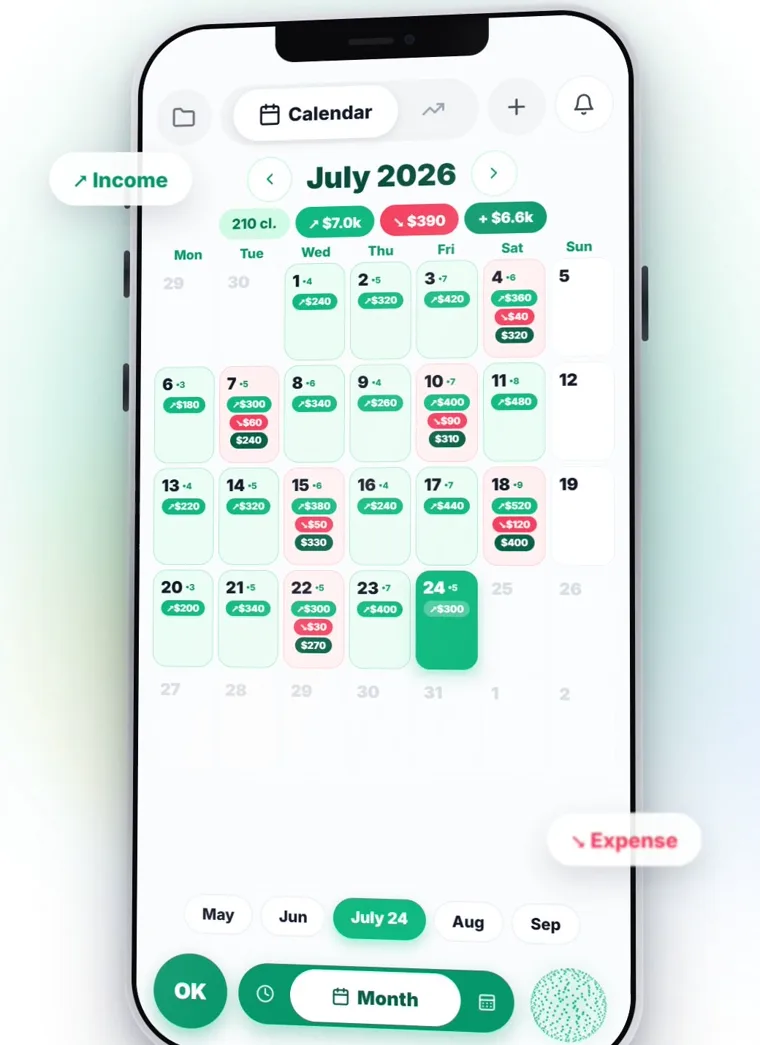
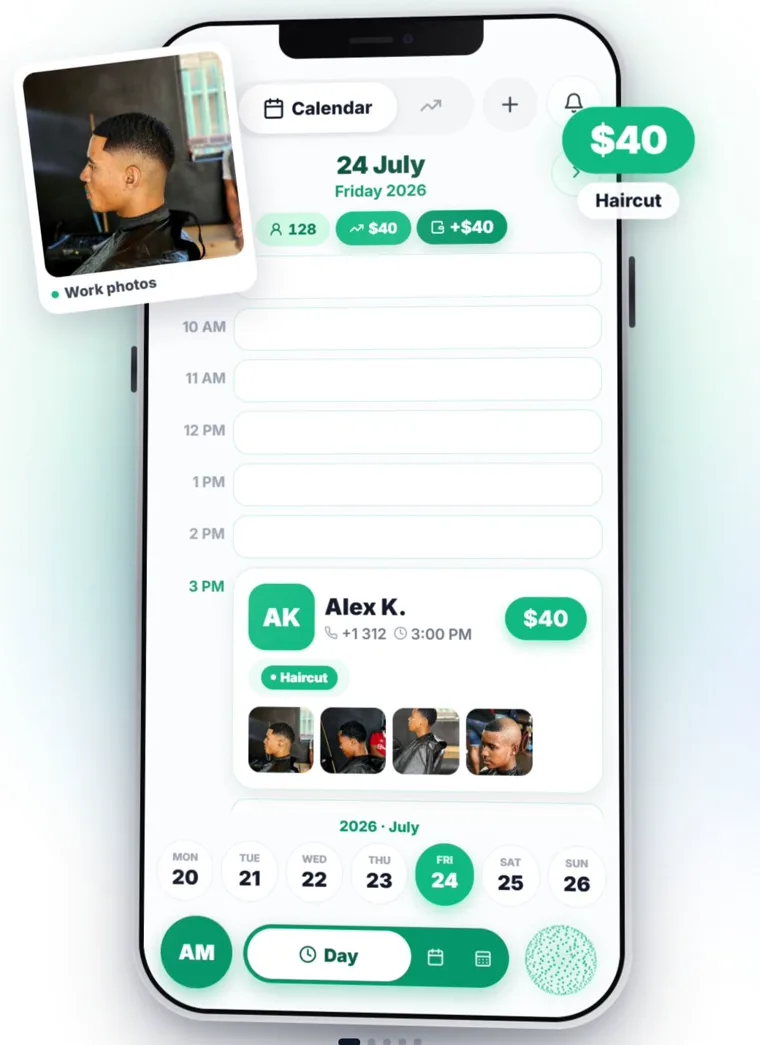
Most calendars only show appointments. This one shows everything that has a time attached — so the day you look at is the day you actually have.

Three views, one swipe apart

  • Day, month and year, switched by the dock or a swipe.
  • On phone, each view is a carousel — three days either side, preloaded, no waiting.
  • On desktop and iPad, a two-column layout with a Google-Calendar-style week.
  • Each view remembers where you'd scrolled to.

Everything lands in the grid

  • Visits and loads, income and expenses, debts falling due, payments, notes and reminders — all in the hour they belong to.
  • Notes and reminders nest inside the block they're about, not in a separate list.
  • A time pill marks right now.

Both calendars, one truth

  • Two-way Google Calendar sync — book here, see it there; move it there, see it here.
  • Subscribe from Apple Calendar or Outlook by link.
  • Working hours and shifts, so free slots are genuinely free.
Money

The number you're afraid to work out

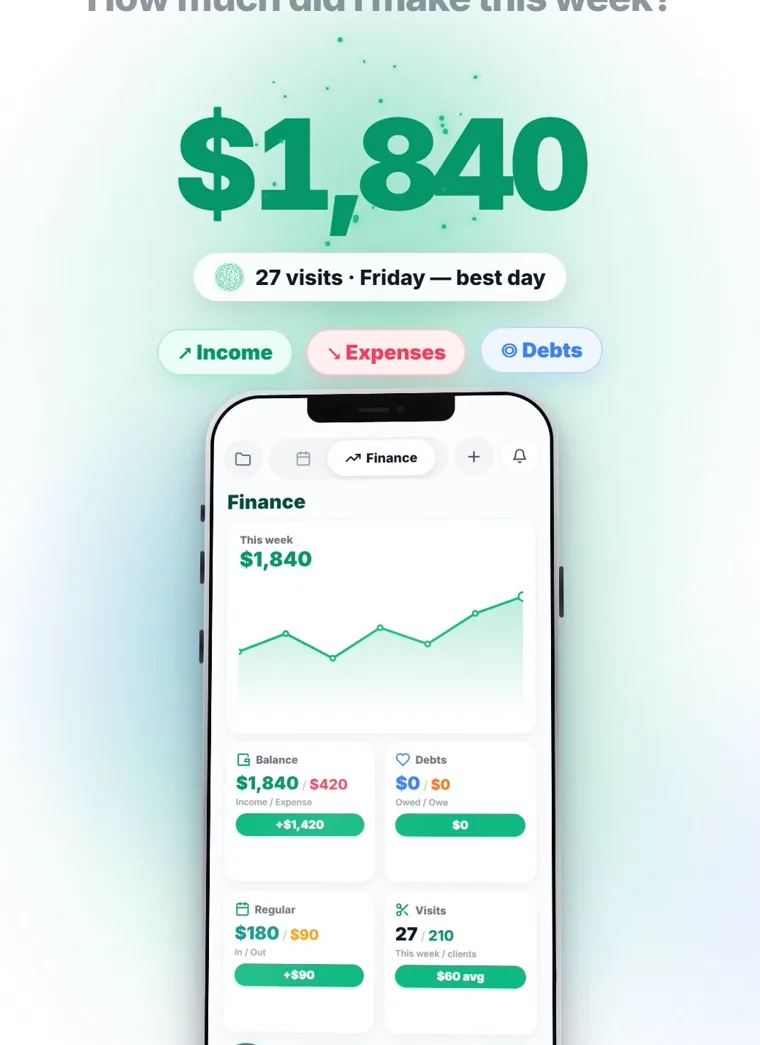
Takings, costs, profit, average ticket, who still owes you — computed from what's already in the app, in whatever currencies you actually work in.

A dashboard that answers back

  • Four headline cards — balance, debts, recurring, visits and clients.
  • Six charts — running balance, income against costs, turnover, visits and clients, everything at once, and where the money leaks.
  • Press and hold any chart to scrub through it point by point.
  • Tap any figure to open it up — eleven different breakdowns, each with its own date range and search.

Currencies that behave

  • 37 currencies. The rate is locked the moment you save, so last year's numbers stay last year's numbers.
  • See any list in the original currency or converted — your choice, remembered.
  • Kali never converts in her head: you say “euros”, it's stored as euros.

Paperwork, handled

  • An accountant's export — income and expense registers, debts, category breakdown, VAT summary, your tax number and local tax regime.
  • PDF or spreadsheet, any date range, with days excluded if you want, and receipt photos attached at the back.
  • Two-way Google Sheets sync for clients, visits, income, expenses and debts — nothing is ever deleted on the other side.
Statistics

The numbers you never sat down to count

You don't fill anything in for these. Every figure below is computed from the bookings and money you've already recorded — on screen, in a PDF, or pushed to you before you thought to ask.

Your 90-day dashboard

  • Revenue, visits and average ticket for the last 90 days, as three headline figures.
  • Top five services — what actually earns, not what you think earns.
  • Top five masters, each with their own average ticket.
  • Split by location with percentages and unique client counts, once you have more than one.

Six charts, eleven breakdowns

  • Running balance, income against costs, turnover, visits and clients, all six metrics on one canvas, and where money leaks by category.
  • Hold a finger on any chart and scrub it point by point.
  • Every headline figure opens up into eleven breakdowns, each with its own date range and search.

Sent to you, unasked

  • A revenue forecast — where the month lands based on what's already booked.
  • Business insights — patterns found for you: your busiest hours, repeat versus one-off, seasonality, who's drifting away.
  • A morning digest with today's bookings, money and what needs deciding.

Ask it out loud

  • “How much did I make this month?” — takings, costs, profit, client count and average ticket, read from the data and spoken exactly.
  • “How much have I spent on supplies?” — a total for any vendor, category or client, over any period.
  • “Who owes me?” — answered from the database, never guessed.
Kali

One assistant, six jobs

Kali isn't a chatbot bolted onto a database. Depending on what you ask and what trade you're in, she changes vocabulary, tools and manner — without you switching anything.

Receptionist

Books, moves and cancels appointments, keeps client cards up to date, finds anyone by a fragment of a name or a few digits of a number.

Always on

Bookkeeper

Logs takings and costs, reads receipts from a photo, tracks debts and subscriptions, and produces the export your accountant asks for.

Always on

Financial adviser

Six proper methods, run on your real figures — snowball versus avalanche for clearing debt, a leak hunt through your categories, a 50/30/20 budget on your actual numbers, and a month-by-month plan with a finish date.

Ask a money question

Analyst & marketer

Compares periods, finds your busiest hours, repeat versus one-off clients, seasonality. Ask what an ad budget should be and she looks up live ad costs for your region and weighs them against your average ticket.

Ask about growth

Dispatcher

For trucking only. Loads, lanes, brokers, rate per mile, deadhead, IFTA, BOL, detention. Revenue is always related back to miles, and fuel always wants gallons, state and odometer.

Trucking

Interpreter

A live two-way interpreter for a client who doesn't share your language. She translates the sentence just spoken and nothing else — no summarising, no drifting back into being an assistant, and the register you used is kept.

Live conversation
Unattended

Seventeen things that happen without you

These run on a schedule on the server — they work whether the app is open, closed, or your phone is in a drawer.

Visit reminders to clientsIn the client's own language, at the right hour — plus a short one just before.
Birthday wishesSent on the day, without you keeping a list.
Win back the quiet onesClients who've stopped coming get a nudge before you've noticed they're gone.
Ask for a reviewA message after the visit, while they still remember it fondly.
Your morning digestToday's bookings, money and what needs deciding.
Revenue forecastWhere the month is heading, based on what's booked.
Business insightsPatterns worth acting on, found for you rather than by you.
Recurring payments post themselvesOn the due date, if you've asked them to.
Calendar & Sheets stay in stepGoogle Calendar and Google Sheets sync in the background, both ways.
Departure & check-in nudgesFor trucking: time to roll, and a check-in while you're out.
Service due by mileageThe odometer, not the calendar, decides when to warn you.
New booking alertsSomeone books through your link — you know immediately.
Self-booking

Let them book themselves

Share one link. Your client picks a service, a day and a free slot, leaves their name and number, and it lands in your calendar. No app for them to install, no account to create.

In their language

  • The page speaks all 43 languages and picks theirs automatically.
  • Reminders they receive are in their language too — a +30 number gets Greek.

Your shopfront

  • Your photo, your business name, a gallery of your work and your real price list.
  • Only genuinely free slots are offered — your hours and existing bookings are respected.

Or embed it

  • Drop a booking card straight onto your own website with one line of code.
  • A new client card is created for you when someone books for the first time.
43 languages

Speak yours. They'll read theirs.

The interface, the voice assistant, your clients' booking page and the messages they receive are each localised independently — so you can work in one language while your client is served in another.

EnglishΕλληνικάPolskiУкраїнськаРусскийEspañolDeutschFrançaisItalianoPortuguêsNederlandsRomânăБългарскиČeštinaSlovenčinaMagyarHrvatskiSrpskiSlovenščinaBosanskiМакедонскиShqipTürkçeSvenskaNorskDanskSuomiÍslenskaEestiLatviešuLietuviųБеларускаяქართულიՀայերենAzərbaycanEuskaraCatalàGalegoGaeilgeCymraegMaltiLëtzebuergeschFøroyskt

Start talking to it today

Fourteen days of everything above, free. No card, no setup afternoon — Kali asks you a few questions out loud and you're running.