Custom AI View 1.14 Windows · macOS · VS Code · MCP

A real browser your agent can see

Chrome's device toolbar resizes a viewport. It does not give you a phone, and it does not give an agent anything to look at. Custom AI View puts a real browser inside pixel-accurate device frames and hands the window you are looking at straight to your agent over MCP.

Free. No install, no dependencies — it needs Chrome or Edge on the machine. Intel Mac and VS Code below.

73
devices, from the iPhone SE to a 16-inch MacBook Pro
70
of them measured in real millimetres, off the spec sheets
23
tools an agent can call over MCP
1:1
life size on your monitor, measured over EDID

Fig. 01 — the window, and what the agent sees of it

MacBook Pro 14" · 1512 × 982 pt · 302 × 196 mm

TOUCHhttps://ccustom.ai/ MacBook Pro 14"1512×982 Fit
FeaturesVoice AIIndustriesFor whoPricing English Open app
Live voice AI inside
The AI that runs your whole businesswhile you sleep.

Just talk to it. Your calendar, clients, finance and self-booking — run by a live voice AI in one app. 43 languages. Free to start.

→ Open Custom AI — free See how it works
 App Store

No credit card. 2-minute setup. · Web, iOS — Android coming.

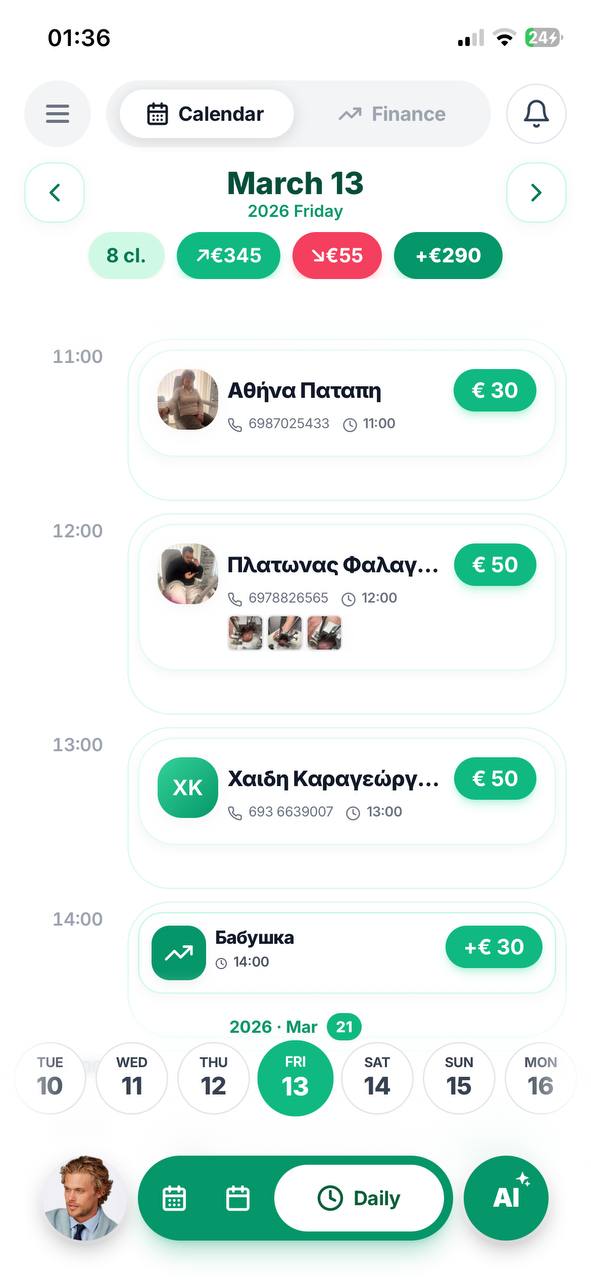
The Custom AI day view, with bookings and the day's income
KaliLive +€290 today Confirmed

MacBook Pro 14" · 1512 × 982 pt · @2x · 3024 × 1964 px · 302 × 196 mm

Elements Console3 Styles
h1.title 358 × 75 body › section#top.hero › div.hero-inner Copy for AI HTML Selector

try itThat is not a screenshot. Move the pointer over the site inside the lid — the element is outlined and revealed in the tree, exactly the way the real inspector behaves. In the app the page inside is a live browser with your session in it.

§ 01

Three things, and nothing free does all three

Framing a page is the easy quarter of the problem. Showing a site that refuses to be framed, keeping the session alive across restarts, and being honest about millimetres — that is the rest of it.

01

It photographs the window you are looking at

Your login session, your scroll position, your unsaved input — handed to an agent over MCP as a picture. Not a re-render in a clean profile: the screen you can see. And when it genuinely cannot use the live window, the answer says so, instead of printing the same line for both.

02

It shows sites that refuse to be framed

A local reverse proxy strips X-Frame-Options and CSP, rewrites @media (hover) and env(safe-area-inset-*), renames __Host- cookies so logins survive a restart, and terminates the self-signed TLS a dev server speaks.

03

It is physically true

Bodies, screens and corner radii come from the makers' published dimensions in millimetres; bezels are derived from body minus panel. mm/pt = dpr × 25.4 / ppi. Actual size 1:1 measures your monitor over EDID and draws the device at life size — hold a real iPhone against the glass and it matches.

§ 02

A MacBook that looks like a MacBook

Head-on, a MacBook is one sheet of black glass with a hairline of anodised edge — not an aluminium picture frame. The chin is three times the forehead, because the wordmark is etched there. The notch is cut into the menu bar, where a browser window never reaches, so it is never a black rectangle over your site. The lid above is drawn by the same rules.

  • The home indicator floats over the page, as on a real phone. Nothing is carved out of the viewport, and env(safe-area-inset-bottom) still reports 34.
  • A finger, not an arrow. On phones and tablets the cursor is a 44 px circle — the contact patch a fingertip covers, which is what decides whether a control is reachable.
  • Momentum matches iOS at 0.967 per frame, horizontal strips drag, and text does not select while you swipe.
  • Captures are filed by site under Desktop → Custom AI View, with screenshots/, recordings/, logs/ and code/, plus one button that saves everything about the page at once.

Fig. 02 — dev servers, found rather than guessed

LOCALHOST · 4 FOUND
CCustom AIlocalhost:887 · https
CCustom AIlocalhost:5173 · https
VVidForge — Чатlocalhost:8080
CCustom AIlocalhost:8899
RECENT
·ccustom.aihttps://ccustom.ai/

It asks the operating system what is listening, then asks each port whether it serves pages — and shows the site's own title and icon. The one on 8899 is on no list of usual ports.

§ 03

Eyes and hands, over MCP

The server speaks MCP over stdio, so any MCP client can drive the same window you are looking at. Every tool takes a window argument, so a phone and an iPad can be driven side by side.

custom_ai_view_openopen a URL on a given device
custom_ai_view_waitwait for an element, or for loading to finish
custom_ai_view_screenshotthe live window — and it says so when it is not
custom_ai_view_findelements by selector or visible text, with real visibility
custom_ai_view_clicktap something
custom_ai_view_typetype into a field, optionally submitting on Enter
custom_ai_view_keyEnter, Escape, Tab, arrows
custom_ai_view_scrollthe page, or one scroller inside it
custom_ai_view_inspectmarkup, computed styles, box, ancestry
custom_ai_view_treewalk the DOM a level at a time
custom_ai_view_editchange the live page; survives reload; revert undoes it
custom_ai_view_consolepage output and the browser's own messages, with ages
custom_ai_view_backgo back without losing SPA state
custom_ai_view_recordscreen recording with no fixed length
custom_ai_view_collectscreenshot + markup + console + selection, in one folder
custom_ai_view_statewhat is open right now: address, device, viewport, selection
custom_ai_view_set_devicechange the device without losing the page
custom_ai_view_devicesthe whole catalogue, with points, pixels and millimetres
custom_ai_view_reloadnormal, hard, or clearing the cache first
custom_ai_view_editsevery live edit currently in force
custom_ai_view_revertput one of them back, or all of them
custom_ai_view_record_clipa clip of fixed length, when the length is known
custom_ai_view_librarywhat has been captured, filed by site

Add the server once. It starts the app itself if it is not running, so an agent never has to ask a human to open something first.

{
  "mcpServers": {
    "custom-ai-view": {
      "command": "node",
      "args": ["<path>/mcp/server.js"]
    }
  }
}

In VS Code, Custom AI View: Show MCP Server Setup hands you that block with the path already filled in.

Clients — the protocol is the contract, not the vendor

Claude Code Claude Desktop ChatGPT Desktop Cursor Windsurf Zed GitHub Copilot Cline Continue Goose …and anything else that speaks MCP

Nothing here is a special case. The server implements the Model Context Protocol over stdio and declares its tools; whatever reads that declaration can drive the window. The names above are the clients this has been run against — not a list of what is allowed.

Agent skill

It also ships as a skill

Tools tell an agent what it can call. They do not tell it when a screenshot is worth taking, that the inspector beats guessing a selector, or that a device has to be set before a URL is opened. skills/custom-ai-view/SKILL.md in the repository is that second half — drop it in and the agent uses the tool the way someone who knows it would.

Read the skill
§ 04

Three ways to run it

All free, all the same engine underneath — the same frames, the same proxy, the same MCP server.

Windows

One file, about 82 MB. Run it and pin it to the taskbar — node scripts/make-launcher.js puts a shortcut with the icon on your desktop. Needs Chrome or Edge installed.

Download the .exe

or all releases

macOS

A proper .app bundle, built on a Mac by the release workflow. Unzip it into /Applications and open it. Signed ad-hoc rather than notarised, so the first launch is right-click → Open.

Apple silicon

Intel Mac · all releases

VS Code

A tab inside the editor, with the device tree in the sidebar. Download the .vsix from releases, then install it and reload the window.

Get the .vsix

code --install-extension custom-ai-view-<version>.vsix

Licence

Proprietary. © 2026 Custom AI. You may use it. You may not redistribute it, fork it, rebrand it, or present any part of it as your own — and that includes rewriting or porting it, because a translation is a derivative work. “Custom AI”, “Custom AI View” and the C mark are trademarks of Custom AI. The repository carries an AGENTS.md saying the same thing to any coding assistant that reads it.

For permission, write to contact@ccustom.ai.